Documentation Index

Fetch the complete documentation index at: https://docs.sfcompute.com/llms.txt

Use this file to discover all available pages before exploring further.

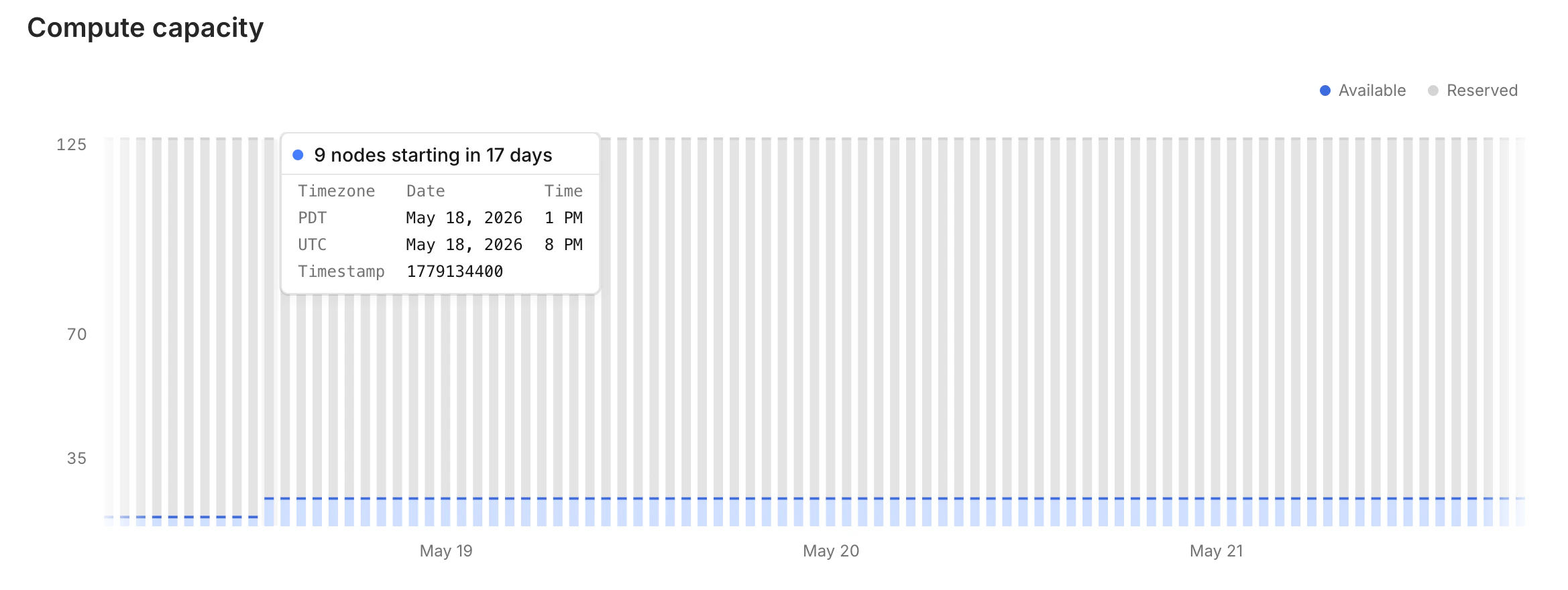
When supply is constrained, use the capacity graph to find open windows. Go to sfcompute.com/dashboard/zones, pick a zone, and look at the capacity graph. Capacity graph showing available nodes further out in time Find a window of availability, then reserve a node.
sf nodes create -p 15.20 -n 1 -z richmond --reserved --start "may 18 1pm" --end "june 18 1pm"
The further ahead you book, the easier it is to find a long, uninterrupted block of time. When supply is tight, near-term availability will be scarce, but capacity days or weeks out is often open.

Watch for gaps

Be mindful of gaps in the capacity graph. A window of availability may be shorter than it appears. In this example, there is 1 node available on May 3rd at 12 AM, but only for 5 hours. Starting at 5 AM, availability drops to zero. Capacity graph showing a short window of availability on May 3rd This will succeed.
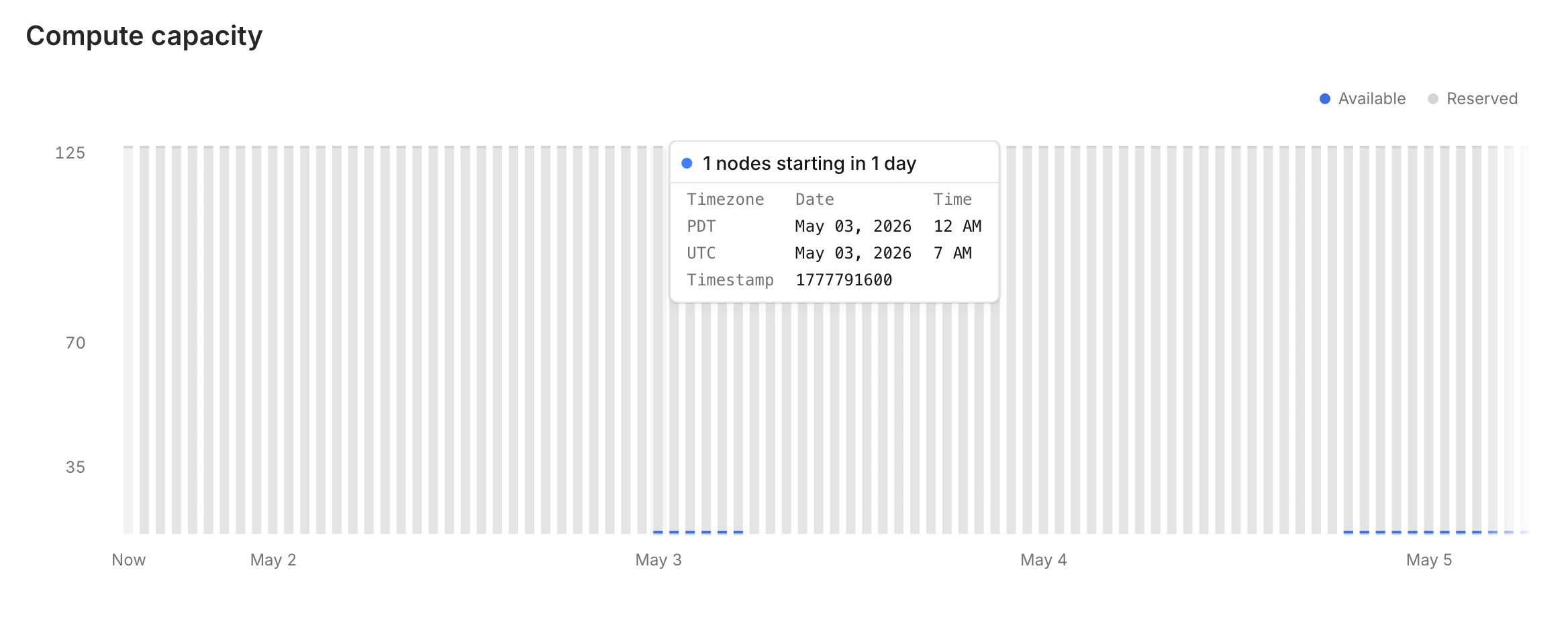
sf nodes create -p 15.20 -n 1 -z richmond --reserved --start "may 3 12am" --end "may 3 5am"
This will fail.
sf nodes create -p 15.20 -n 1 -z richmond --reserved --start "may 3 12am" --end "may 3 6am"